Website Analytics Tools: Demystifying Data for Website Success
- Kyle Keehan

- Jul 9, 2024
- 6 min read
Updated: Jan 14, 2025
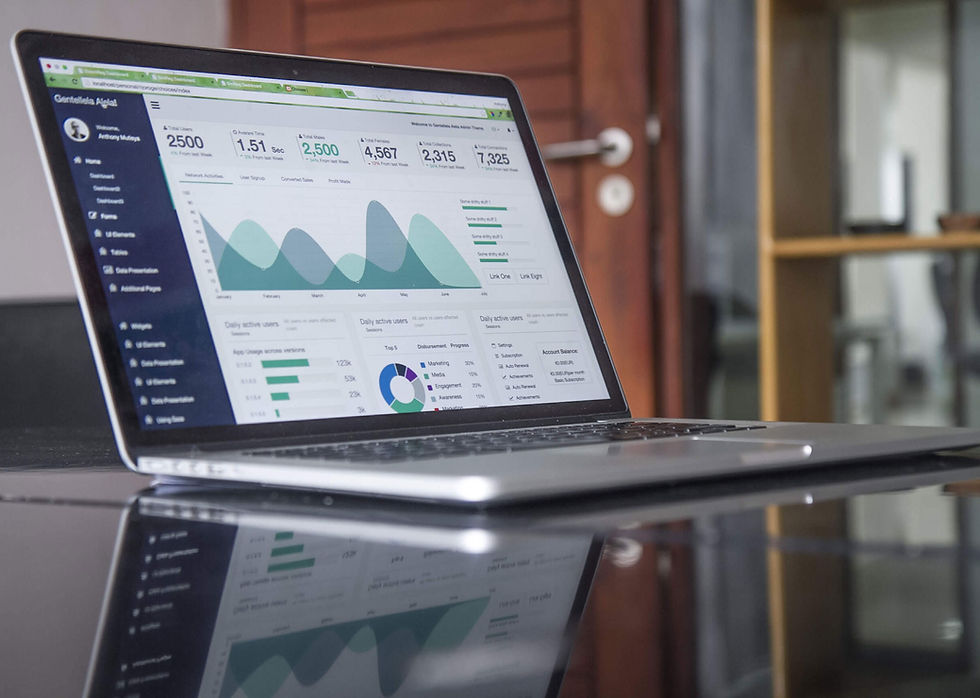
In the ever-evolving digital world, websites are no longer static brochures but dynamic platforms teeming with valuable user data. But how do you, the website owner, unlock the secrets of this data? Enter website analytics tools – your key to understanding user behavior, optimizing your website, and ultimately driving success.
Here, we look into the world of website analytics tools, giving you the knowledge to choose the right tool for your needs. We'll explore:
The Importance of Website Analytics: Why data is king in the website game.
Types of Website Analytics Tools: Unpacking the diverse functionalities available.
Key Features to Consider: Choosing the tool that best serves your goals.
Popular Website Analytics Tools: A breakdown of industry leaders.
Implementing and Utilizing Website Analytics: Putting your chosen tool to work.
Website Analytics Tools Podcast
The Importance of Website Analytics
Imagine building a beautiful store on a busy street corner, but having no way to track how many people walk by, who enters your shop, or what they browse. That's what running a website without analytics is like. Website analytics tools provide a window into how users interact with your website, offering insights into:
Traffic Sources: Where are your visitors coming from (search engines, social media, referrals)?
User Demographics: Who are your visitors (age, location, interests)?
User Behavior: How do visitors navigate your site (pages viewed, time spent, clicks)?
Engagement: Are visitors converting into leads or customers (form submissions, purchases)?
By analyzing this data, you can gain a deeper understanding of your audience and their needs. This empowers you to:
Optimize Your Website: Improve page layouts, content, and calls to action for better user experience and engagement.
Target Your Marketing Efforts: Tailor your marketing campaigns to reach the right audience with the right message.
Boost Conversions: Increase leads, sales, or other desired actions on your website.
Measure ROI (Return on Investment): Track the effectiveness of your marketing efforts and website improvements.
In essence, website analytics tools are the compass guiding you toward a website that thrives.
Types of Website Analytics Tools
The world of website analytics offers diverse options, with each tool catering to specific needs. Here's a breakdown of the main categories:
Web Traffic Analytics: These tools provide the foundational data, tracking website traffic sources, user demographics, page views, and overall user behavior. Popular options include Google Analytics, Clicky, and Piwik Pro.
User Behavior Analytics: These tools delve deeper into how users interact with your website, using tools like heatmaps, session recordings, and scroll tracking to visualize user journeys. Hotjar, Crazy Egg, and Mouseflow are leading examples.
Conversion Tracking Analytics: These tools focus on measuring conversions, whether it's a form submission, a purchase, or a newsletter signup. They often integrate with marketing automation platforms like HubSpot and Salesforce.
SEO (Search Engine Optimization) Analytics: These tools help you understand how your website ranks in search results for relevant keywords, providing insights into organic traffic and keyword performance. SEMrush, Ahrefs, and Moz are some popular choices.
Key Features to Consider When Choosing a Website Analytics Tool
With several options for website analytics tools available, selecting the right one can be overwhelming. Here are some key features to consider:
Ease of Use: Consider your technical expertise. Some tools are user-friendly, while others require more technical knowledge.
Features Offered: Align the features with your website goals. Do you need basic traffic data or in-depth user behavior insights?
Pricing: Free and paid options exist. Free tools offer basic functionality, while paid options may provide more advanced features and integrations.
Scalability: If you expect your website to grow, choose a tool that can scale with your traffic.
Integrations: Does the tool integrate with other marketing platforms you use?
Popular Website Analytics Tools
Let's explore some of the most popular website analytics tools in the market, categorized by their primary functionality:
Web Traffic Analytics:
Google Analytics: The industry leader, offering a comprehensive suite of traffic analysis features, reporting tools, and integrations with other Google products. It's free for basic use and offers a paid version for advanced features.
Clicky: A user-friendly and privacy-focused alternative to Google Analytics, with real-time tracking and detailed reports. Offers both free and paid plans.
Piwik Pro: An open-source self-hosted solution for businesses seeking complete data ownership and advanced customization options. Requires technical expertise for setup and maintenance.
User Behavior Analytics:
Hotjar: A popular tool offering heatmaps, session recordings, form analytics, and surveys to understand user behavior and identify pain points on your website. Provides a free plan with limited features and paid plans for additional functionalities.
Crazy Egg: Another leading user behavior analytics tool with heatmaps, scroll tracking, and A/B testing capabilities to optimize website elements for better engagement. Offers a free trial and paid plans with varying features.
Mouseflow: Provides session recordings, heatmaps, form analytics, and attention tracking to visualize user journeys and identify areas for improvement. Features a free plan with limited recordings and paid plans for additional features.
Conversion Tracking Analytics:
HubSpot Marketing Hub: A comprehensive marketing automation platform with built-in conversion tracking, lead nurturing, and email marketing tools. Offers a free plan with limited features and paid plans for advanced functionalities.
Salesforce Marketing Cloud: An enterprise-grade marketing automation platform with advanced conversion tracking, lead scoring, and marketing campaign management tools. Offers custom pricing based on specific needs.
Formstack: A form builder platform that integrates with various marketing tools and allows you to track form submissions, analyze conversion rates, and gain insights into user behavior within your forms. Offers a free plan with limited features and paid plans for additional functionalities.
SEO Analytics:
SEMrush: An all-in-one SEO toolkit that provides keyword research, competitor analysis, backlink tracking, and on-page SEO audit tools to improve your website's search engine ranking. Offers a free trial and paid plans with varying features.
Ahrefs: Another popular SEO tool with keyword research, backlink analysis, rank tracking, and content optimization suggestions to help you climb the search engine ladder. Offers a free trial and paid plans with varying features.
Moz: A leading SEO software with keyword research, on-page optimization tools, link-building suggestions, and domain authority tracking to improve your website's search engine visibility. Offers a free limited toolset and paid plans for additional features.
Implementing and Utilizing Website Analytics Tools
Once you've chosen your weapon of choice, it's time to put your website analytics tool to work! Here are some key steps to remember:
Installation and Setup: Follow the tool's specific instructions for installation (typically a code snippet added to your website).
Goal Setting: Define your website goals (increased traffic, lead generation, sales) to tailor your data analysis.
Data Exploration: Dive into the features offered by your chosen tool. Familiarize yourself with reports, dashboards, and visualizations.
Actionable Insights: Don't get lost in the data. Look for patterns, trends, and areas for improvement.
A/B Testing: Utilize A/B testing features to test different website elements like headlines, call-to-action buttons, and page layouts to see what resonates best with your audience.
Continuous Improvement: Regularly review your website analytics and use your findings to make data-driven decisions to optimize your website for success.
Key Takeaways
Website Analytics as a Necessity: Websites are no longer static; analytics tools are essential to understanding user behavior, optimizing experiences, and driving success.
Insights from Analytics: Analytics tools provide critical data on traffic sources, user demographics, behavior, engagement, and conversions, enabling data-driven decisions.
Diverse Tools for Different Needs: From web traffic tracking to user behavior analysis, conversion tracking, and SEO insights, there’s a tool for every purpose.
Choosing the Right Tool: Key factors include ease of use, features, pricing, scalability, and integration capabilities.
Actionable Use of Analytics: Effective implementation and continuous improvement based on analytics insights are crucial for sustained website growth.
Frequently Asked Questions (FAQ)
Q1: Why are website analytics tools important?A1: Website analytics tools provide insights into visitor behavior, demographics, traffic sources, and engagement, enabling website owners to make informed decisions to optimize user experience, target marketing efforts, and increase conversions.
Q2: What types of website analytics tools are available?A2: Tools can be categorized into web traffic analytics (e.g., Google Analytics), user behavior analytics (e.g., Hotjar), conversion tracking (e.g., HubSpot), and SEO analytics (e.g., SEMrush).
Q3: How do I choose the best website analytics tool for my needs?A3: Consider your goals, technical expertise, budget, scalability, and the tool’s integration capabilities with your existing platforms.
Q4: Are there free website analytics tools?A4: Yes, tools like Google Analytics and Hotjar offer free plans with basic features. Paid versions are available for advanced functionalities.
Q5: How do I start using a website analytics tool?A5: Install the tool by following its setup instructions (usually involves adding a code snippet to your website). Define your goals, explore the features, and analyze the data to gain actionable insights.
Q6: Can analytics tools improve my website's SEO?A6: Yes, tools like SEMrush, Ahrefs, and Moz provide insights into keyword rankings, backlinks, and on-page optimizations, helping improve your website’s search engine visibility.
Q7: What is A/B testing, and why is it important?A7: A/B testing involves comparing two versions of a webpage element (like a headline or button) to see which performs better. It helps refine your website based on real user behavior.
Q8: How often should I review my website analytics?A8: Regular reviews, such as weekly or monthly, are recommended to identify trends, track progress, and make timely adjustments to your strategy.
Conclusion:
Website analytics tools are no longer a luxury; they're a necessity for any website owner serious about growth. By unlocking the power of data and implementing the insights gained, you can transform your website from a static page into a thriving online destination that drives engagement, conversions, and ultimately, success. So, delve into the world of website analytics tools, unleash the power of data, and watch your website flourish!
